How to Organize AI Art Style Collections
Learn effective strategies for organizing AI art styles by themes, moods, and purposes to enhance creativity and streamline workflow.

How to Organize AI Art Style Collections
Managing AI art styles doesn't have to be overwhelming. Here's the key: organize your collection by themes, moods, or purposes, use tags for easy searching, and create a clear folder structure. Tools like Srefs.co can simplify this process with automation, tagging, and community-shared styles. Regular maintenance - like naming conventions and periodic cleanups - keeps everything efficient. Whether for personal projects or professional teams, these strategies save time and improve workflow.
Key takeaways:
- Group styles by theme (e.g., Fantasy, Cyberpunk), mood (e.g., Bright, Dark), or purpose (e.g., Social Media, Branding).
- Tag styles with keywords for quicker searches (e.g., "serene", "portrait", "minimalist").
- Set up folders with clear categories and consistent naming (e.g., "2025_Fantasy_DragonArt").
- Use tools like Srefs.co for automation, batch processing, and exploring community collections.
- Maintain regularly with daily checks, monthly reviews, and annual cleanups.
Start small - organize recent styles first - and expand over time to keep your library structured and accessible.
I made too much AI art! Use this Quick Trick to sort and remix your AI images (Workflow Timelapse)
How to Categorize AI Art Styles
Organizing your AI art collection can turn chaos into a well-structured creative library. The trick is to design categories that align with how you approach your projects and think about your work.
Group by Theme, Mood, or Purpose
Thematic grouping is ideal if your art revolves around specific genres or visual worlds. For instance, you could organize styles into categories like "Fantasy" (with subcategories such as medieval or mythical) or "Cyberpunk" (neon and futuristic). This makes it easier to pair a style with your project's story.
Mood-based organization focuses on the emotions you want your art to evoke. For example, a "Dark and Mysterious" category might feature gothic architecture and shadowy portraits, while "Bright and Cheerful" could include vibrant colors and uplifting imagery. This method works well for artists who prioritize emotional impact.
Purpose-driven categories organize styles based on their intended use. For example:
- Social media visuals might emphasize bold, attention-grabbing designs.
- Branding collections could lean toward clean and professional aesthetics.
- Marketing styles might focus on eye-catching elements, while personal projects allow for more experimental approaches.
Many artists mix these methods. For instance, a "Fantasy" category might include subcategories like "Dark Fantasy Moods" and "Fantasy Social Media Posts." This setup offers flexibility, letting you retrieve styles based on narrative, emotion, or practical needs.
Once your themes are set, adding targeted tags can make your collection even more searchable.
Add Tags and Keywords for Easy Searching
A well-thought-out tagging system turns your collection into a searchable database. Use descriptive tags for visual elements (e.g., "deep blue", "rough stone", "portraits"), conceptual tags for broader ideas and emotions (e.g., "melancholy", "triumphant"), and genre-specific keywords for artistic styles (e.g., "impressionist", "art nouveau", "minimalist").
The best tagging systems combine concrete and abstract terms. For instance, a single style could include tags like "portrait" and "woman" (concrete) alongside "serene" and "contemplative" (abstract). This ensures you can locate styles based on either visual details or emotional qualities.
Mood and emotion keywords are especially useful when working with AI systems, as they help guide models to create artwork that aligns with your intent. Words like "serene", "mysterious", or "joyful" are not only helpful for organizing your collection but also for communicating your vision to AI tools.
To avoid confusion, consider maintaining a master list of frequently used tags. This helps prevent redundancy, like using "dark", "shadowy", and "dim" for the same concept, which could scatter related styles across multiple searches.
Combine your tagging system with a well-structured folder setup for maximum efficiency.
Set Up Folder Systems That Work
After defining your categories and tags, a clear folder system ensures your files are easy to navigate. Use a hierarchical structure, starting with broad categories like "Character", "Environment", or "Abstract", and narrowing down into subcategories.
One Reddit user, malcolmrey, shared their method for organizing character-focused AI art: they create "one character - 1 folder" for each character Lora and maintain a separate folder for reusable prompt ideas.
This approach separates templates from specific outputs, making it easier to adapt successful prompts for future projects.
Consistent naming conventions are another game-changer. For example, the ForgeUI community uses a format like "Date-Lora-topic", such as "2025-FantasyLora-DragonArt". This naming system provides instant clarity about when the style was created, which AI tools were used, and the subject matter.
Julie Erin Designs suggests organizing main folders by output type - like "Patterns", "Greeting Cards", or "Social Media and Marketing Assets" - and using detailed file names such as "2024_Spring_Strawberries_PatternTile.jpg".
This chronological method not only tracks your creative growth but also makes it easy to locate styles from specific time periods.
Workflow-specific folders can streamline your creative process even further. For instance:
- A "Ready to Upload" folder for finalized styles ensures nothing gets overlooked.
- An "Uploaded" folder keeps track of what’s already been used, avoiding duplication.
Separating master files from exports is also crucial. Keep original prompts, settings, and layered files in a "Master Files" folder, while storing flattened exports elsewhere. This way, you can revisit and tweak your work without starting from scratch.
For client projects, organizing by client name and project date works well. If your focus is personal exploration, try grouping by artistic style or experimental technique.
How Srefs.co Simplifies Style Management
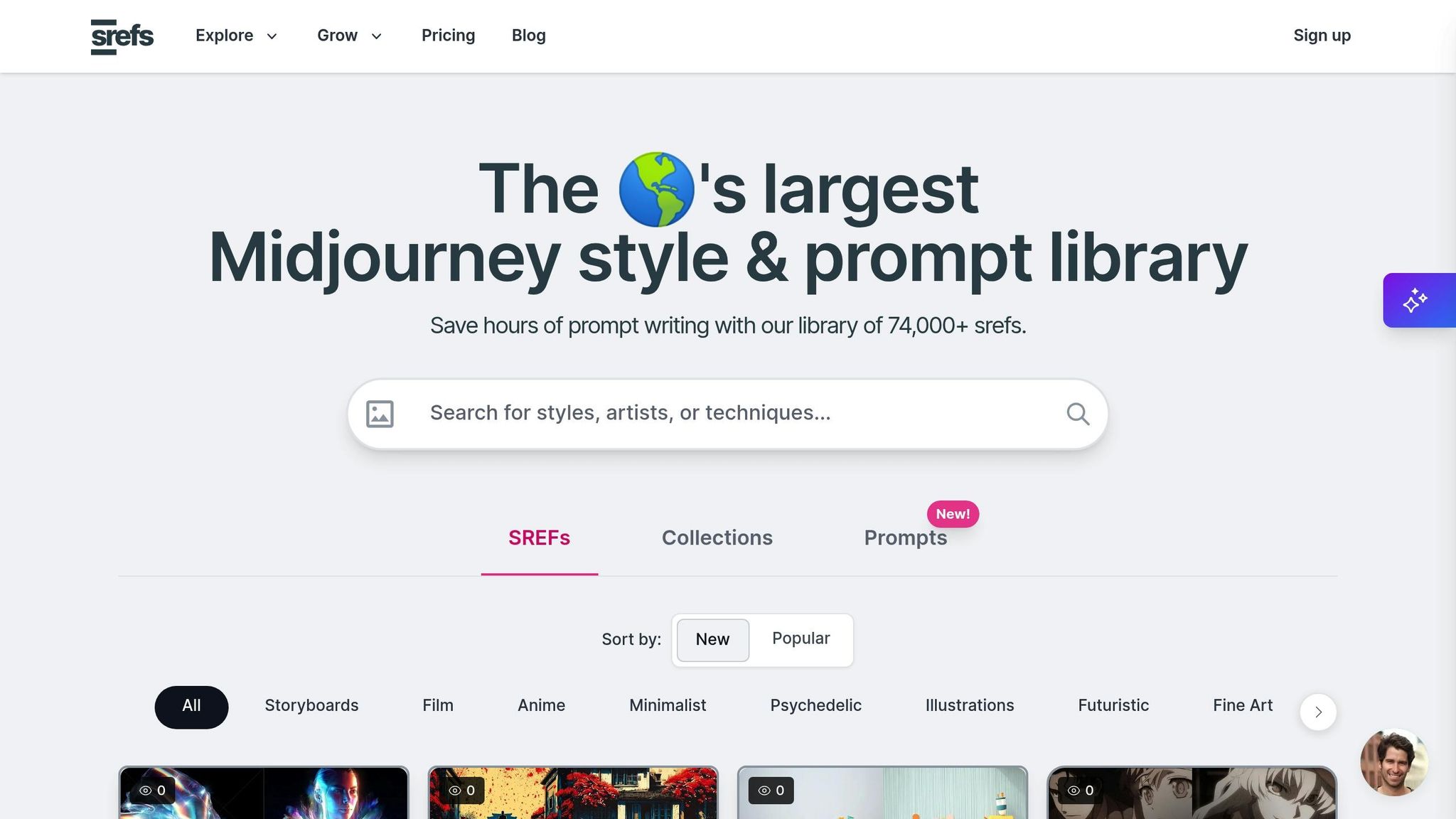
Srefs.co takes the hassle out of style management by combining automation with smart tools. Forget the constant manual curation of traditional methods - Srefs.co offers a streamlined solution. With access to over 74,000 Midjourney style references and powerful organizational features, managing styles has never been easier.
Save and Organize Custom Collections
Every style card includes a handy bookmark icon, allowing you to save styles to your "Saved Styles" section. Want to keep things private? You can mark collections as private for exclusive access. Plus, there’s no limit to how many collections you can create - organize them by client, project type, or even mood to keep everything in order.
Test Styles with the Multiprompt Tool
The Multiprompt feature is a game-changer for comparing styles. Instead of testing one style at a time, this tool lets you generate images using multiple styles side by side. Whether you're working with cyberpunk, watercolor, or any other genre, this feature helps you quickly identify the best fit for your theme. For creative professionals, it’s especially useful for client presentations, as you can generate multiple variations in no time.
Explore Community Collections and Advanced Search Options
Srefs.co’s search tools go beyond simple keywords. You can search using text descriptions or even upload reference images to find visually similar styles. Community collections act as both inspiration and a blueprint for organizing your own collections. They include detailed insights on style characteristics, use cases, and feedback from the community, making it easier to make informed decisions. Whether you're into anime, fantasy, or retro styles, there’s something for everyone.
For those looking to take things further, API access allows for advanced integration. Automate collection management and seamlessly connect Srefs.co with your existing creative workflow for even greater efficiency.
sbb-itb-c7ab506
Keep Your Collections Organized Over Time
Creating an organized AI art style collection is just the first step. The real challenge lies in maintaining that organization as your collection grows. Without consistent upkeep, even the best system can become chaotic. Start by establishing clear naming conventions to lay a strong foundation.
Create Clear Naming Rules
Having clear naming rules can make finding and sorting through your collection a breeze. Over time, revisit these rules to ensure they still meet your evolving needs.
For collection names, choose descriptive titles that immediately convey their contents. Avoid vague labels like "Cool Styles" or "Project 1." Instead, go for something more specific, such as "Cyberpunk Character Portraits" or "Watercolor Landscapes – Client Work." Adding dates can also help, especially for client projects or campaigns with deadlines.
When tagging individual styles, use consistent keywords that describe both their visual traits and intended use. For example, a style could be tagged as "minimalist", "corporate", "blue-dominant", and "presentation-ready." This layered tagging approach makes it easier to search for styles by either their appearance or purpose.
Stay away from unclear abbreviations. While "Corp_Min_Blue_2024" might seem understandable now, something like "Corporate Minimalist Blue Palette 2024" will still make sense months - or even years - later.
Clean Up Your Collections Regularly
Just like physical art, digital collections need regular maintenance to stay functional. Set aside time for quick daily checks, monthly reviews, and deeper annual cleanups.
- Daily and weekly checks: Spend a few minutes after adding new styles or finishing projects to scan for duplicates or irrelevant items.
- Monthly reviews: Dedicate about 30 minutes to reviewing your most-used collections. Remove outdated styles and merge similar ones.
- Quarterly deep cleans: Focus on less-accessed collections and remove anything that no longer aligns with your creative goals.
- Annual comprehensive reviews: Take a deep dive into your entire collection. Update naming conventions and make major organizational changes as needed.
Keep a simple log to track what you’ve cleaned and when. Over time, you might notice patterns - like certain styles becoming outdated faster - which can help you adjust your review schedule to fit your actual usage.
Set Up Smart Folders and Saved Searches
Automation tools can make managing a large collection much easier. Smart folders and saved searches take care of the heavy lifting, ensuring you can quickly access the styles you need without manually sorting through everything.
Smart folders automatically organize styles based on criteria you set. For instance, you could create a folder that gathers styles added in the last 30 days or one that collects items tagged with a specific project name or color palette. These folders update themselves, saving you time and effort.
Saved searches are another powerful tool for recurring needs. For example, if you frequently look for "dark, moody portrait styles with high contrast", save that search. With one click, you’ll instantly see all the matching styles across your collection.
You can even create project-based smart folders. For example, if you’re working on a tech startup project, a smart folder could automatically compile all styles tagged with "modern", "corporate", "blue", and "minimalist." This automation streamlines your workflow, letting you focus on creativity instead of manual sorting.
Tools for Better Collection Management
Managing a large collection of AI art styles can feel overwhelming, but the right tools can make a huge difference. These tools streamline the process by automating repetitive tasks and building on the organizational strategies we've already covered. By incorporating features like batch processing and smart filters, you can take your collection management to the next level.
Use Batch Processing and Filters
Batch processing is a game-changer when it comes to handling multiple AI art styles at once. Instead of managing items one by one, you can select dozens - or even hundreds - of pieces and perform actions like tagging, moving them into specific collections, or downloading everything at once. This eliminates a lot of repetitive work and saves valuable time.
When paired with smart filters, batch processing becomes even more powerful. Filters let you sort your collection based on criteria like image type, AI model, visibility, collection name, or tags. Once sorted, you can apply bulk actions instantly. For example, you could move all portrait styles created last month into a dedicated project folder with just a few clicks.
Automation doesn’t just save time - it also improves the quality of your collection. Automated filters can enforce quality standards by keeping only the AI-generated outputs that meet specific criteria. This ensures low-quality styles don’t clutter up your carefully curated sets.
Some practical uses for batch processing include tagging similar styles in bulk or mass-deleting outdated experiments. Combined with filter-based sorting, these tools make it easy to reorganize and maintain your collection efficiently.
Start Organizing Your AI Art Styles Today
Turn your disorganized collection into a well-structured resource by setting up a clear folder system. Begin by deciding on a logical hierarchy for your folders and stick to it.
Use a consistent naming method, like "Date-Lora-Topic", so your files are easy to find and sort. Create a dedicated folder just for your prompt ideas - this makes it simple to revisit and reuse prompts that worked well.
Take advantage of tools like ComfyUI, which can automatically sort your outputs into folders based on dates or models. For more advanced organization, consider using a SQL database to manage your files efficiently.
Start small by organizing a single part of your collection, such as your most recent creations. Once you see how much easier it is to locate and reuse your AI art styles, you’ll naturally expand this system to cover all your work. Get started now to keep your growing collection in sync with your creative process.
FAQs
What are the best ways to keep an AI art style collection organized over time?
To keep your AI art style collection in order, begin by sorting styles into categories like themes, moods, or specific use cases. Use straightforward and consistent naming for your files to make them easy to locate, and set up separate folders for each category to simplify navigation.
Make it a habit to review your collection regularly. Archive styles that are outdated or no longer useful, and tag new additions with relevant keywords to make searching quick and painless. As your library expands, you might want to explore digital tools or software designed for organizing files. These simple practices can help you stay on top of your collection and keep your creative process running smoothly.
What’s the best way to use tags and keywords to make my AI art styles easier to find?
To help people discover your AI art styles more easily, use specific and descriptive tags that highlight the style, subject, and theme of your work. Include details like the art medium (e.g., watercolor, digital), techniques used, lighting, color palettes, and subject matter (e.g., landscapes, portraits).
You can also boost visibility by adding synonyms and related keywords. For instance, if your art draws inspiration from surrealism, you might add terms like "dreamlike" or "fantastical." This approach makes your collection more accessible to those searching for similar themes or styles. Keeping your tags consistent and well-organized will make future searches smoother and help maintain clarity across your collection.
How does Srefs.co help organize and manage AI art styles effectively?
Srefs.co makes managing and organizing AI art styles a breeze with its user-friendly tools such as customizable collections, keyword searches, and smart categories. You can effortlessly sort styles based on themes, moods, or colors, and apply filters to pinpoint exactly what you're looking for. These tools help you keep your creative library organized and easy to navigate, streamlining your workflow.

Alex Chen
AI art enthusiast and digital creative with over 5 years of experience in generative art. Passionate about exploring the intersection of technology and creativity.
4 articles


